From rate con to ● PAID
One system runs your whole company — the dispatch board, the driver’s phone, the invoice packet to the broker, the settlement, and the truck it rode on. Built inside a working fleet, not a software office.
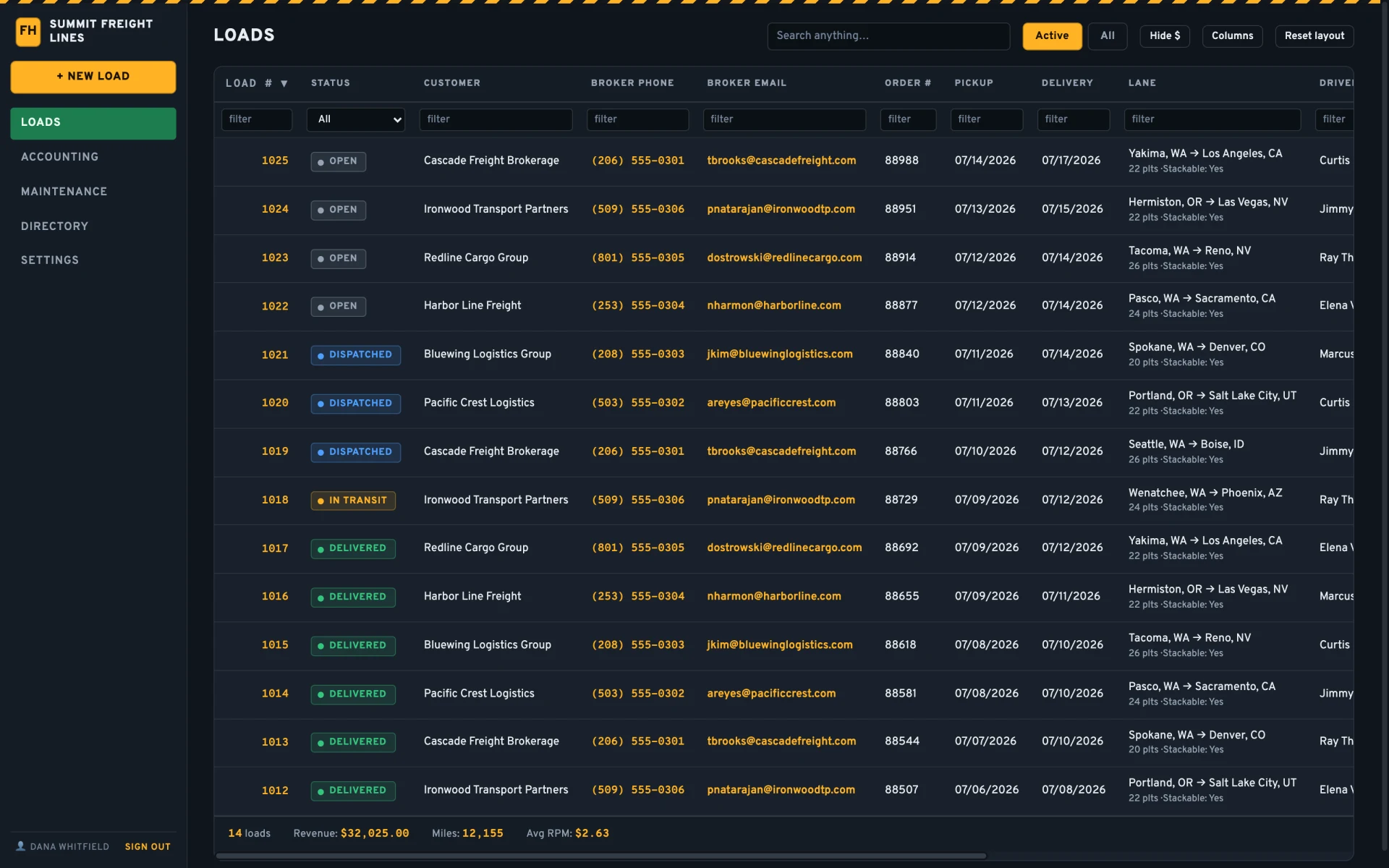
The whole load on one screen
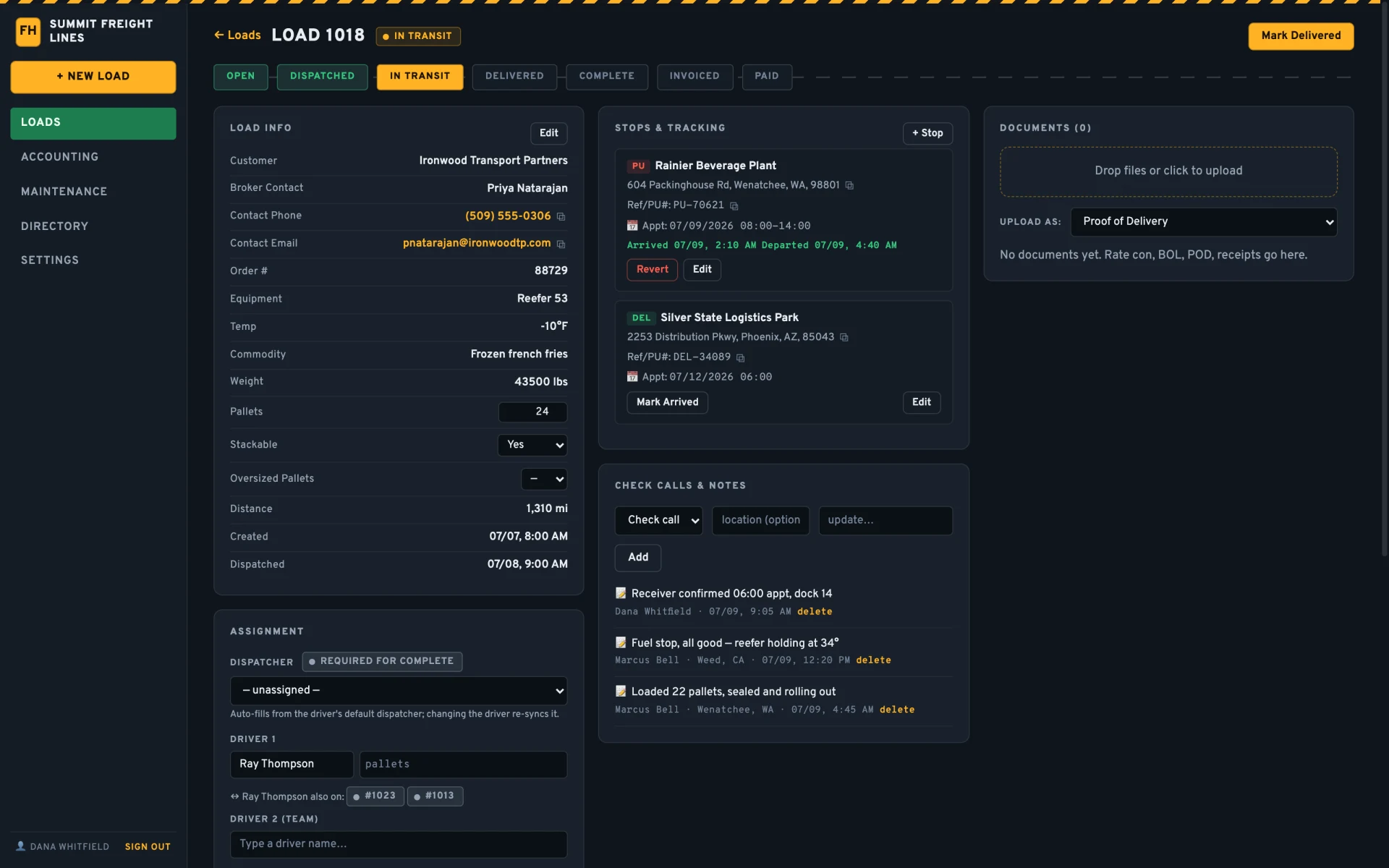
- Drop in the rate con — broker, stops, references, and rate fill themselves. A duplicate order # gets caught before you double-book it.
- Stops carry appointments, arrivals, and departures. Check calls land on the load, timestamped, next to the notes.
- Team drivers, a third delivery driver, pallets per driver — dispatch the way your fleet actually runs.
- Every load a driver is on is one click away — if LTL is your specialty.
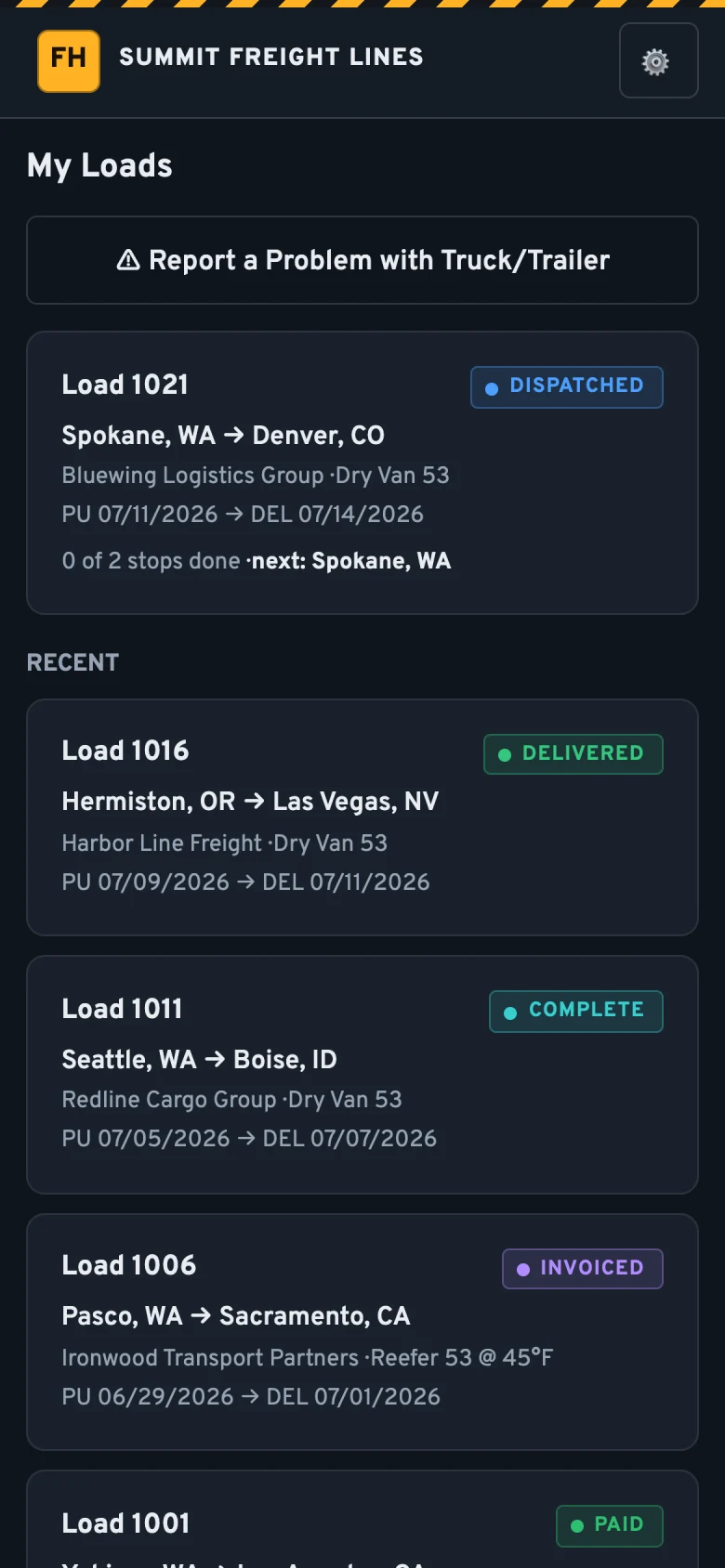
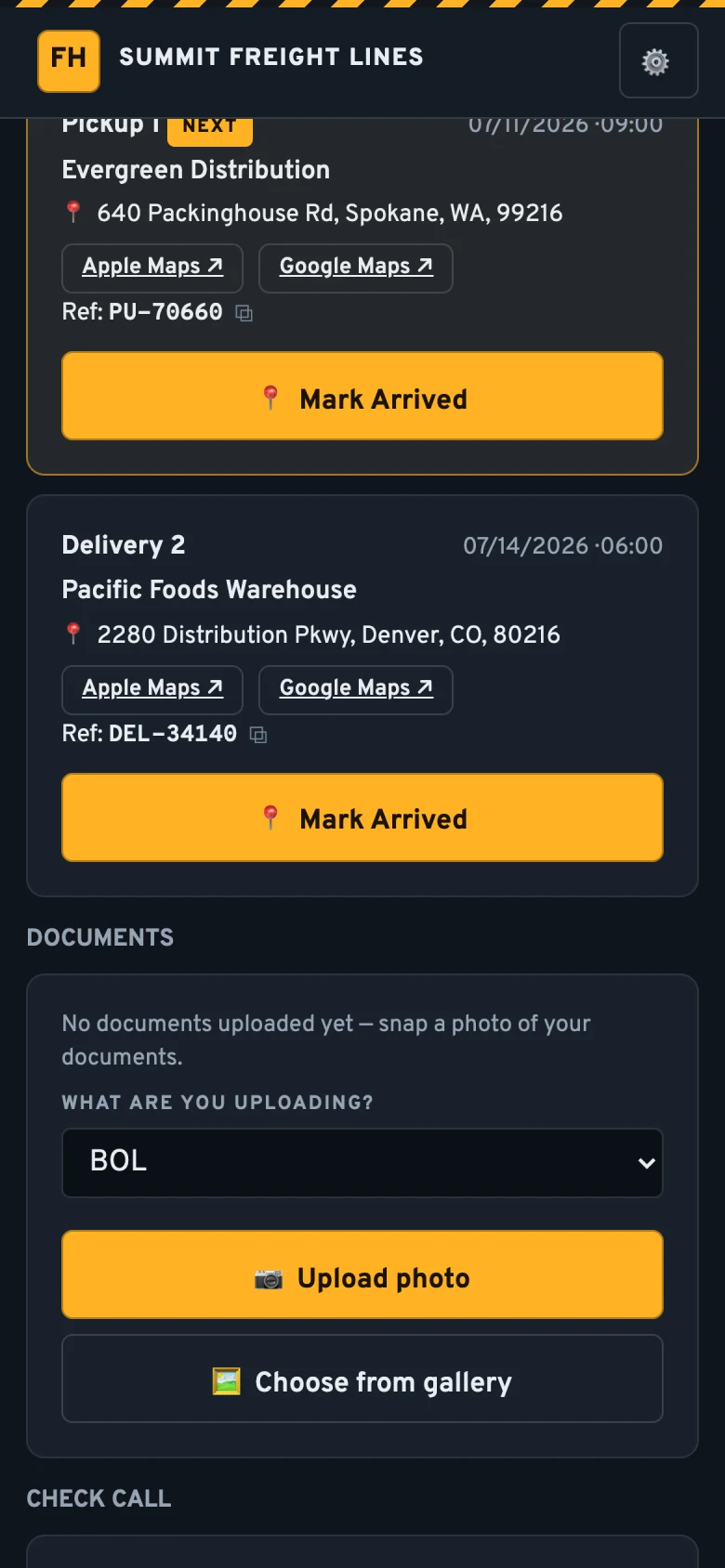
Your drivers already know how to use it
- Loads, stops, and reference numbers on their phone. No training day, no laminated cheat sheet.
- Addresses open in the maps app the driver picks.
- BOLs and PODs are a click away. HEIC converts automatically, so brokers can actually open them.
- Breakdown? One tap files the problem straight into Maintenance.
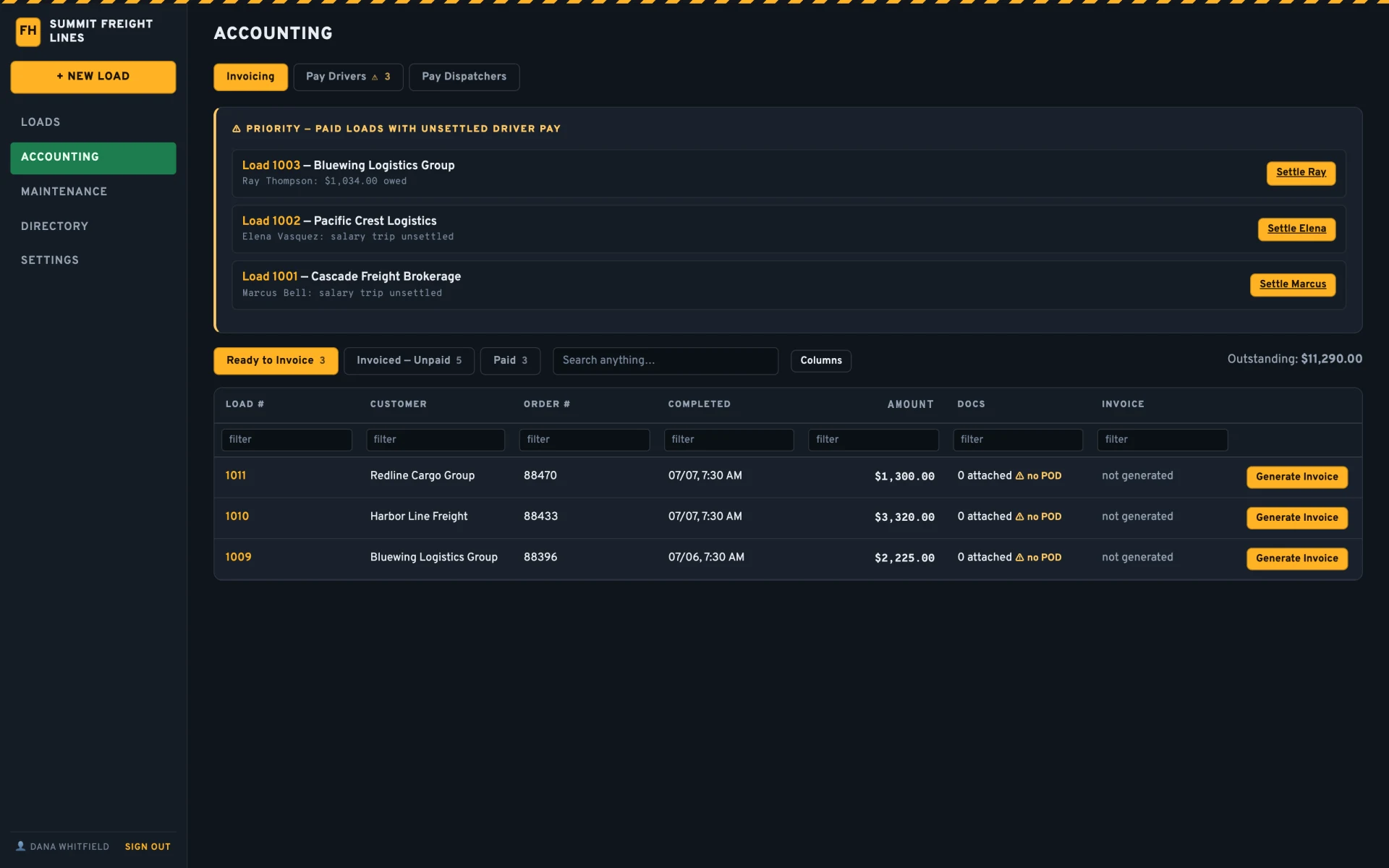
Invoices out the door the day the load delivers
- One click merges invoice, rate con, BOL, and POD into a single packet.
- Email it to the broker’s billing address from inside the system — the send is logged on the load with date and time.
- Slow payer? The reminder button quotes the original send date and re-attaches the packet.
- Missing a POD? The load tells you before the invoice goes out.
Money lands where the books are
QuickBooks, two ways
Invoices push to QuickBooks Online; payments and paid status pull back. Settlements post as bills. Nobody retypes anything.
Customer payments
Date, method, reference number — partial payments included, matched against the invoice.
Driver & dispatcher pay
Per-mile, salary, or owner-operator dispatch percentage. Dispatcher pay runs on the same rails.
Checks bounce
Revert a paid load back to unpaid in one click. It happens; the system doesn’t pretend it doesn’t.
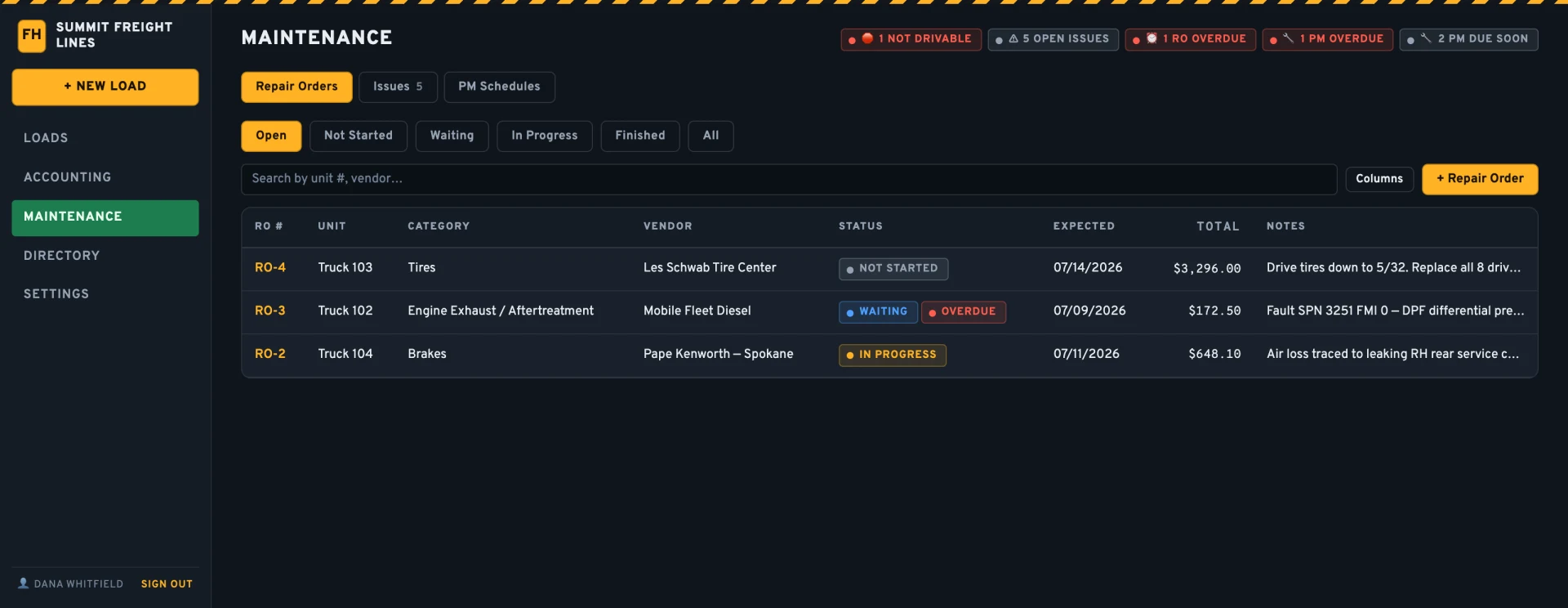
The shop has a side of the system too
- Repair orders with parts, labor, and vendors. Snap the shop invoice — it reads itself in.
- PM schedules by miles or months; odometers sync straight from the Motive ELD.
- A truck flagged not drivable is loud about it, everywhere it shows up.
- CDL, med card, and MVR expirations warn a month out. Annual inspections tracked per unit.
Locked down, not locked in
Passkeys
Sign in with Face ID or a fingerprint. Trusted devices re-verify weekly — not at every login.
Roles that hold
Admin, manager, accounting, dispatcher, driver. Drivers see their loads and nothing else — enforced on the server, not hidden in the menu.
Quiet hygiene
Encrypted in transit, rate-limited, audit-logged. Idle sessions close themselves.
Freight Hunter TMS started as the system real fleet owners run their trucks on. Every feature exists because a dispatcher, a driver, or the person doing invoicing at 9 pm needed it — not because a roadmap said so.
See it on your own freight
Thirty minutes, live system. Bring a rate con — we’ll book it in front of you. If it doesn’t fit how you run, we’ll tell you that too.
Prefer email? sales@freighthuntertms.com